< Install MSDN | Index #1 | Index #2 | Build & Run C++ .NET 2 >
USING VISUAL STUDIO 2005
TO BUILD AND RUN C++ .NET
CONSOLE MODE APPLICATION 1
-
The following are the short cuts (Start → Programs) for the previously installed Visual Studio 2005.

-
Launch the Visual Studio by selecting Microsoft Visual Studio 2005 link shown below.

-
The following Windows forms will be launched.

-
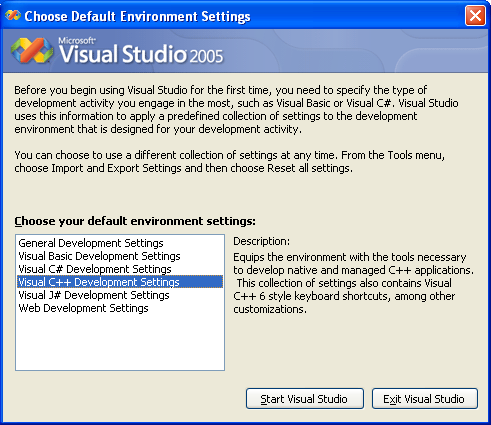
Choose the default environment settings that you want to use. This setting should be the frequently used product. In this case we select the Visual C++ Development Settings. Then click the Start Visual Studio button.


---------------------------------------------------------------------------------------------
Part 1 | Part 2 | Part 3 | Part 4 | Part 5 | Part 6 | Part 7 | Part 8